




Email Advertising
Reach a highly engaged audience with our weekly Nursing Insights newsletter; sent 3 times a week (Monday, Wednesday, and Friday) About Us Advertise
Newsletter Sponsorship
A "newsletter sponsor" is included in each newsletter that is sent out.
Sponsorship message above the fold. REQUIRED: Headline (35 characters), 1 paragraph of text (85 words max.), image/logo (600×350 px) GIF, JPEG, or PNG are acceptable. Include Call-to-action & click-thru URL
If you have any questions please call us at 1-917-426-3524.
Eblast
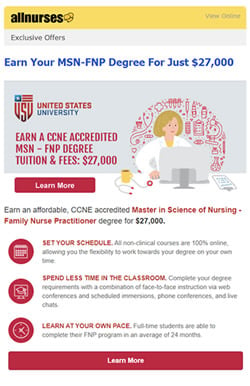
An eblast is a dedicated message sent to our audience.
600 pixels wide maximum, responsive design, 300k maximum HTML file size, web-optimized images (JPEG, GIF, PNG) load faster for our mobile users. Incorporate multiple CLEAR calls to action to make it easier for readers to access the content they want. Avoid using an unsubscribe link in your creative as allnurses.com includes one in all eblasts.


If you have any questions please call us at 1-917-426-3524.