So the new dog thinks it's great fun to dig up my vegetable garden. this would be OK if I was in a tilling stage but all but I am getting ready to move seedlings out to the garden and I don't want to lose this years crop. So I called a fencing contractor who told me it would cost $3500.00 to fence it in. So then I went to Amazon and bought a steel pet fence for $200.00. Hope it works out.




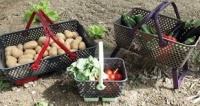

So the new dog thinks it's great fun to dig up my vegetable garden. this would be OK if I was in a tilling stage but all but I am getting ready to move seedlings out to the garden and I don't want to lose this years crop. So I called a fencing contractor who told me it would cost $3500.00 to fence it in. So then I went to Amazon and bought a steel pet fence for $200.00. Hope it works out.
Hppy